Article
How FRSG documents every roof it works on
Every roof we work on is mapped, measured, and photographed in one system, then published to a single link for the building: the Roof Report, every proposal, and every Roof Service visit, each tied to the exact spot on the roof it is about.
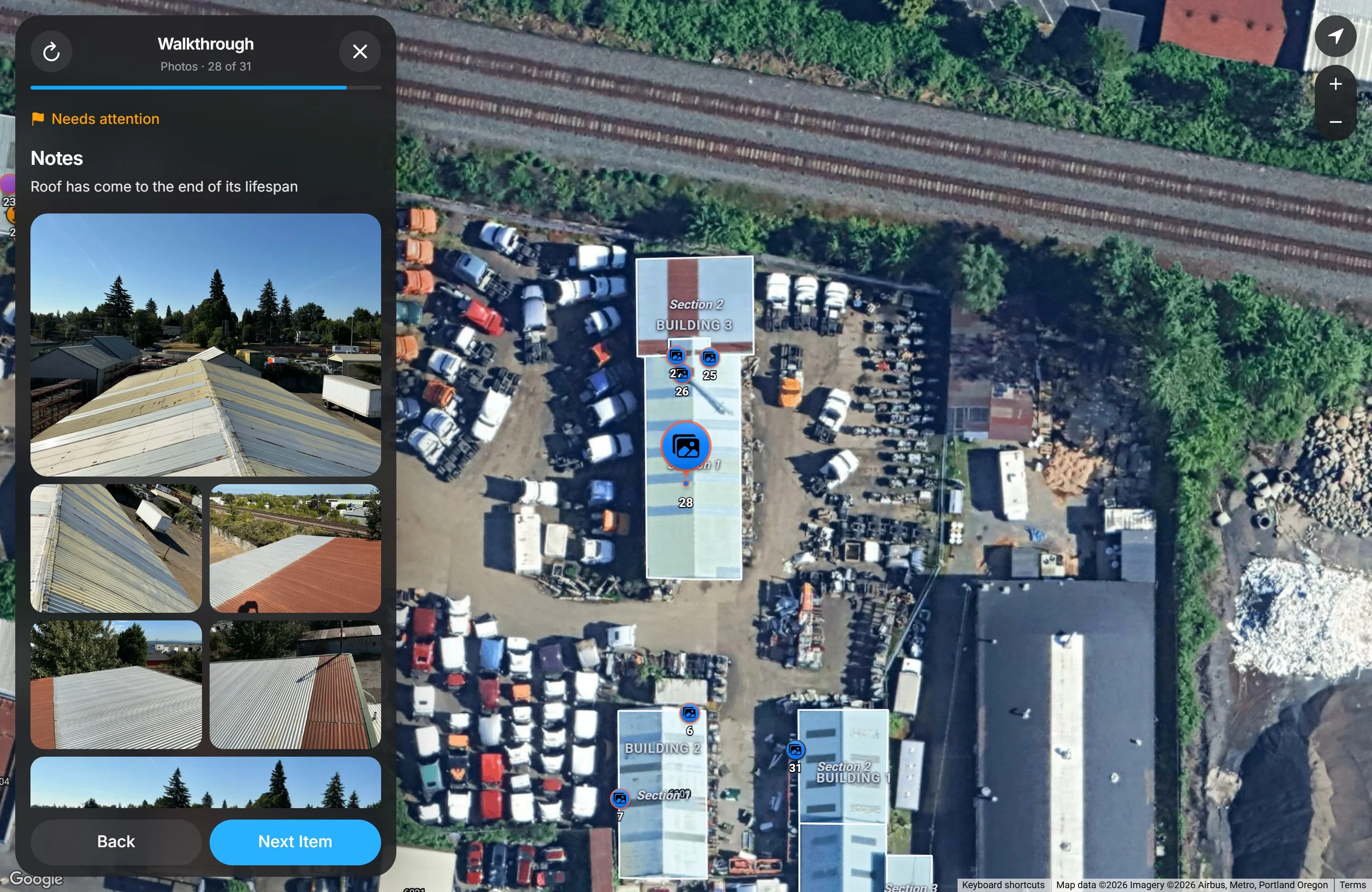

We run every job through one system of our own. On the roof, a technician maps each building over satellite imagery, measures it, splits it into sections by roof system, and pins every photo and note to the exact spot it describes. The office reviews that work before anything is published. Then it all lands on one permanent link for the building: the Roof Report, every proposal, and every Roof Service visit, on a map of the actual roof.
The screenshots below come from a real Roof Report for an industrial property in Portland. We have hidden the address and the owner’s name. Everything else is exactly what the customer sees.
One link for each building
Each property gets one web address the first time we publish anything for it, and that address never changes. There is no account to create and no password to forget. Open it on a phone or a laptop and it shows the latest version of everything we know about the roof.
The page opens on a satellite map of the property with each building and roof section outlined. A panel beside the map holds the Roof Report, any proposals, and any Roof Service visits, newest first. Paste the link into a text or an email and it previews as a picture of the roof with its sections drawn on, so whoever receives it knows what they are opening.
The link is easy to pass along. An owner can send it to an asset manager, a broker, a buyer’s inspector, or an insurance adjuster, and every one of them sees the same record.
How a roof gets documented on site
The technician works from FRSG’s field app on a phone or iPad.
Arrival. The app checks the phone’s location against the building before the visit starts. The first photo is the front of the building, and the second is taken from the roof.
Mapping. The technician traces each building’s roof outline over satellite imagery. The square footage and perimeter come straight from that outline. The roof is then split into sections wherever the roof system changes, and each section is labeled by what it is: TPO, PVC, or EPDM membrane, modified bitumen, torch-down, built-up, metal, or a coating. A building with an older torch-down section beside a newer TPO section is two sections, each with its own records.
Items. Everything on the roof that matters gets pinned at the exact point where it sits: drains, scuppers, penetrations, skylights, rooftop units, access points, solar panels, and core samples, which record the layers, insulation, coverboard, and decking underneath. Every item needs at least one photo, and every photo keeps the date it was taken.
Flags. Any item that needs repair or maintenance, shows ponding water, or shows signs of aging is flagged. The flagged item is the problem itself, so a flag never floats free of where it is on the roof.
The app keeps working without signal, which matters on a big roof with poor reception. Several technicians can document the same roof at once, and their work comes together in one place.
Nothing is published until the office has checked it
What the crew captures goes to the office first. Someone reviews every change, resolves anything two technicians recorded twice, and merges it into a dated record of the roof. Publishing to the customer is a separate step after that.
Each publication is numbered, and the version is printed on the cover of the PDF. Corrections are tracked rather than quietly written over what was there. The record of what the roof looked like on a given day is kept for good.
What the Roof Report shows
The Roof Report opens with three facts: the date of the inspection, how many buildings and sections the roof has, and the total roof area. Below them is our recommendation for each building, written for that roof: its overall condition, what we recommend doing, and how soon.
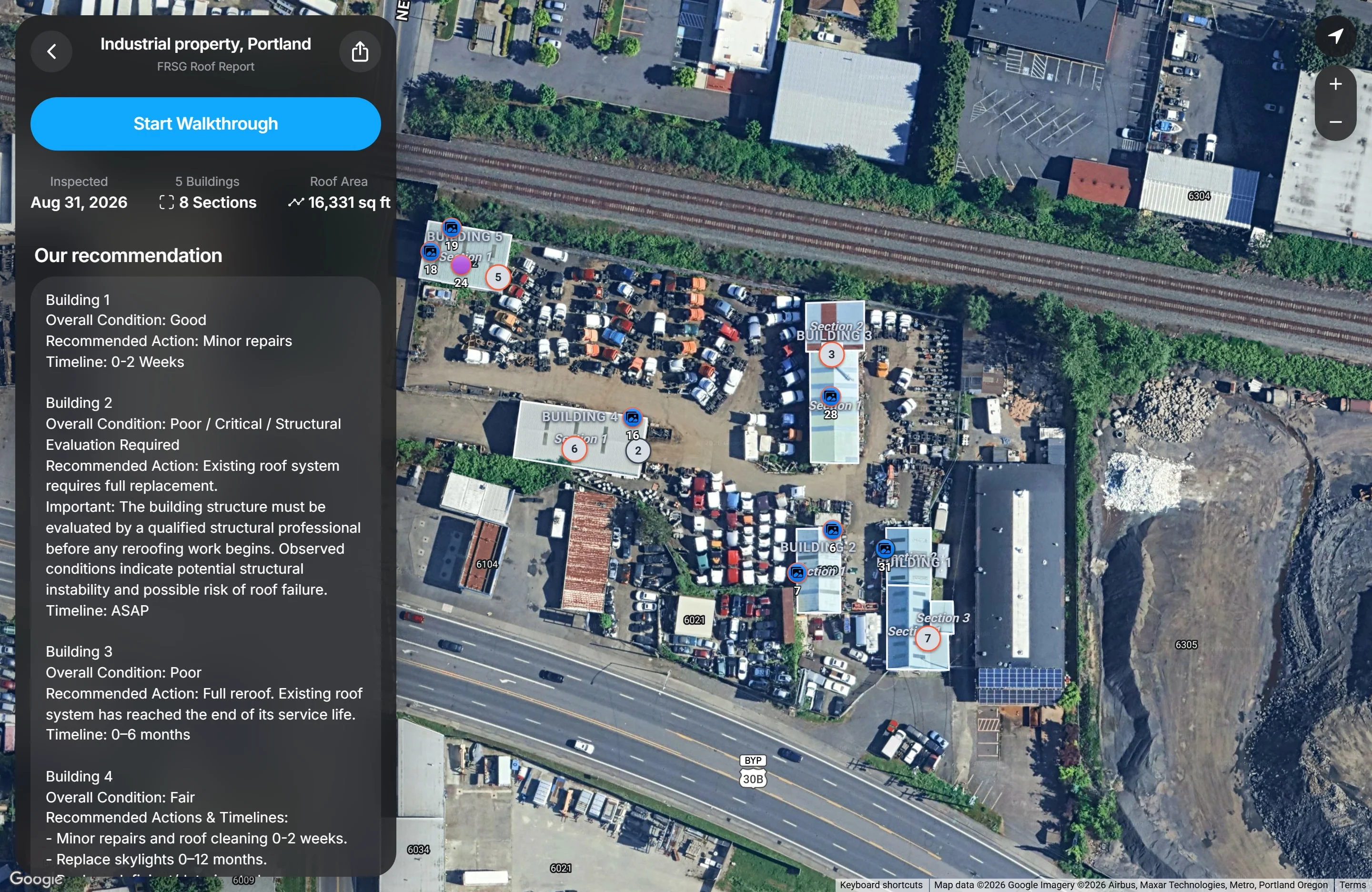
Below the recommendation are the flagged items and then everything else on the roof. On this property the inspection documented 31 items, 20 of them flagged.
Start Walkthrough steps through the roof one item at a time, building by building and section by section. The map moves with it, so the item on screen is always highlighted where it sits on the roof. Each step shows the item’s notes, its photos, and whether it needs attention. Any photo opens full screen and can be saved.
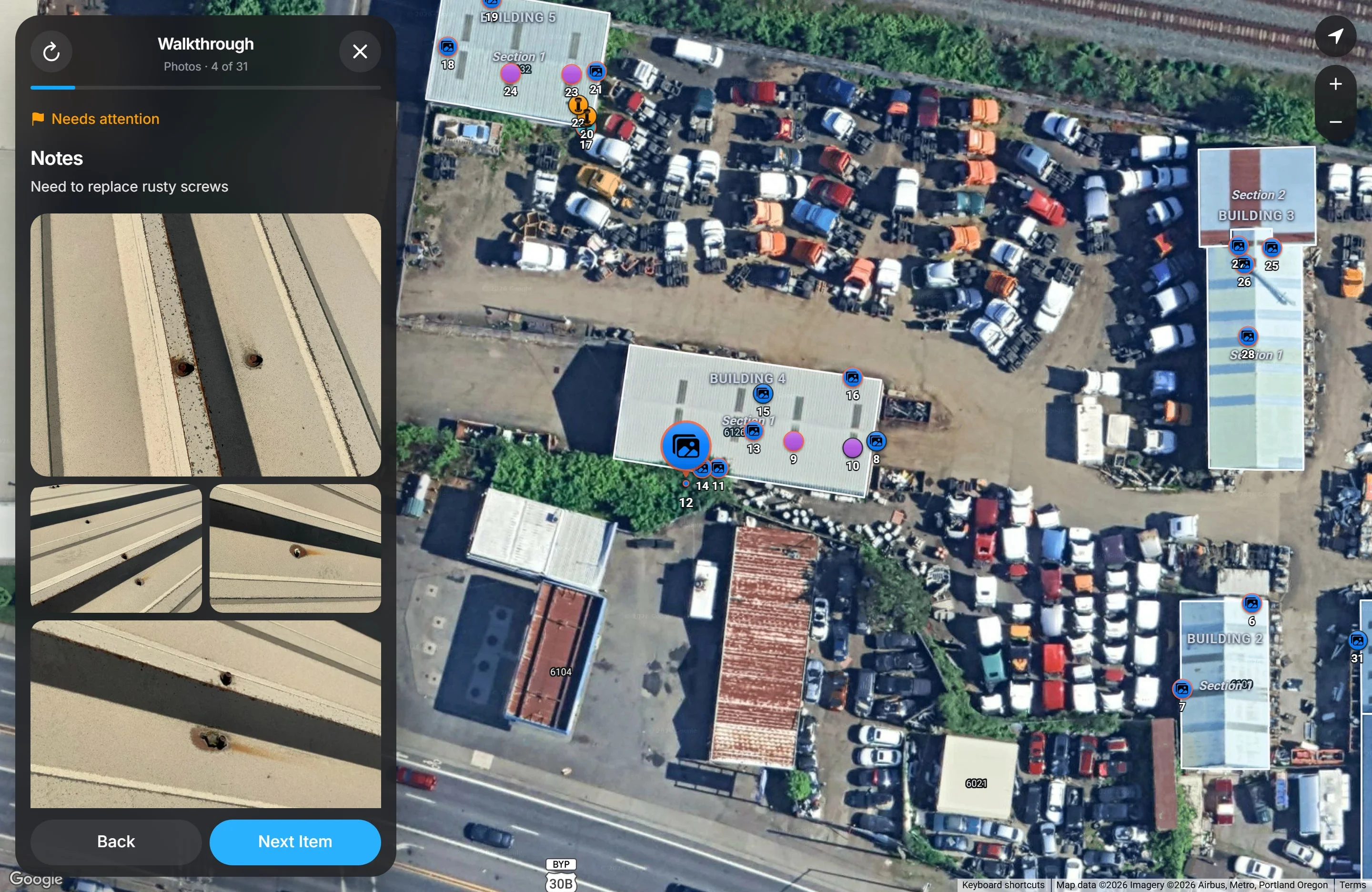
A walkthrough explains a roof better than a stack of photos. Nobody has to guess which photo goes with which note, or which corner of which building a close-up was taken on.
Every flagged item is tied to the work we propose
When we propose work, each piece of it names the flagged items it fixes. Open a flagged item and the proposal that addresses it is right there. Open a proposal and the items it covers light up on the map.
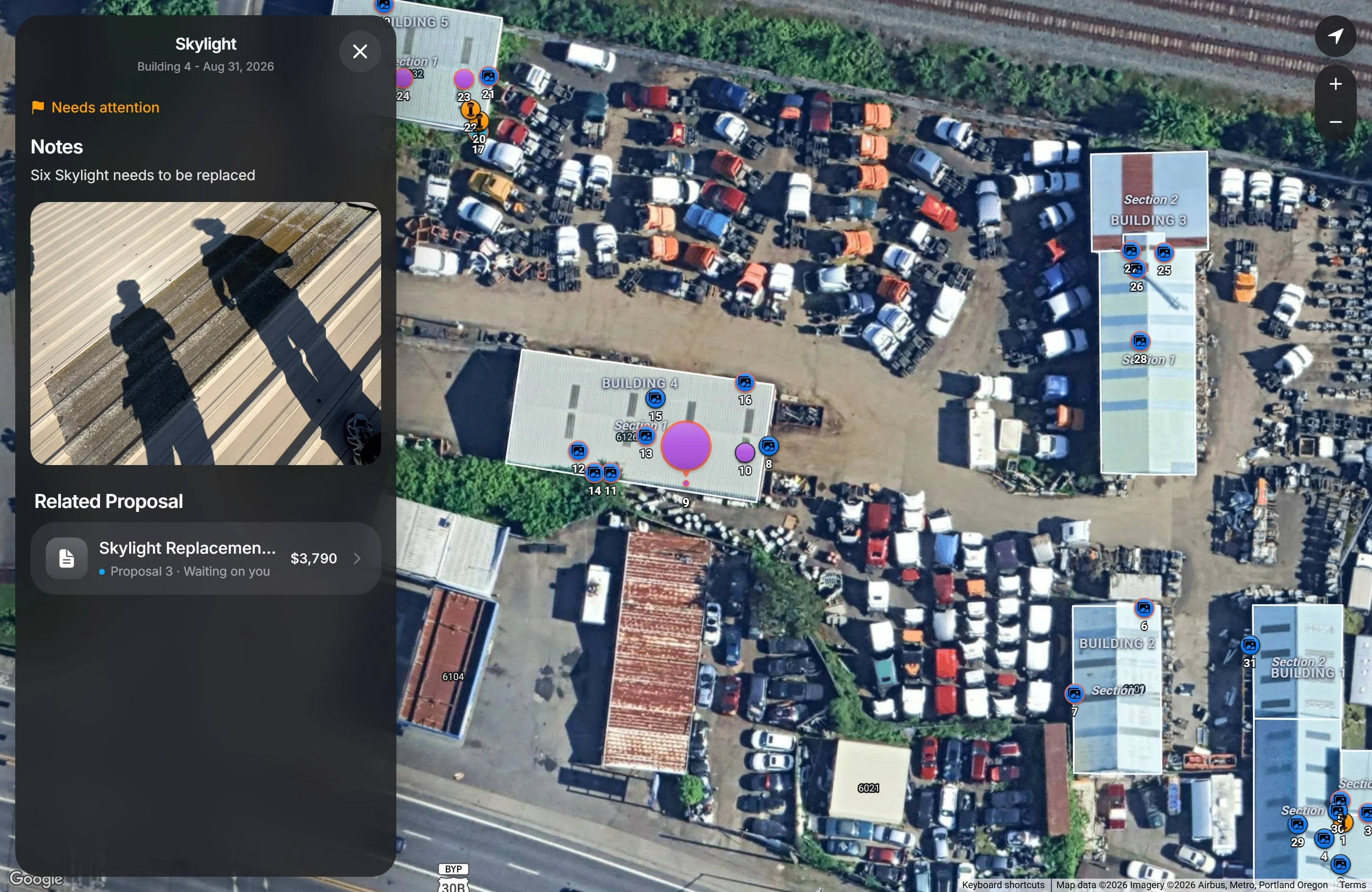
That connection runs both ways. A property manager can check that every flagged item has a plan, and an owner reviewing a proposal can see the photos of each thing it pays for.
How proposals work
A proposal is made of pieces of work. Each piece has a scope of work in plain language, the materials and labor it includes with quantities, and the flagged items it addresses. The proposal shows the total, the deposit, the balance due on completion, and how long it stays valid. When there is more than one way to handle a roof, we send more than one proposal and mark the one we recommend.
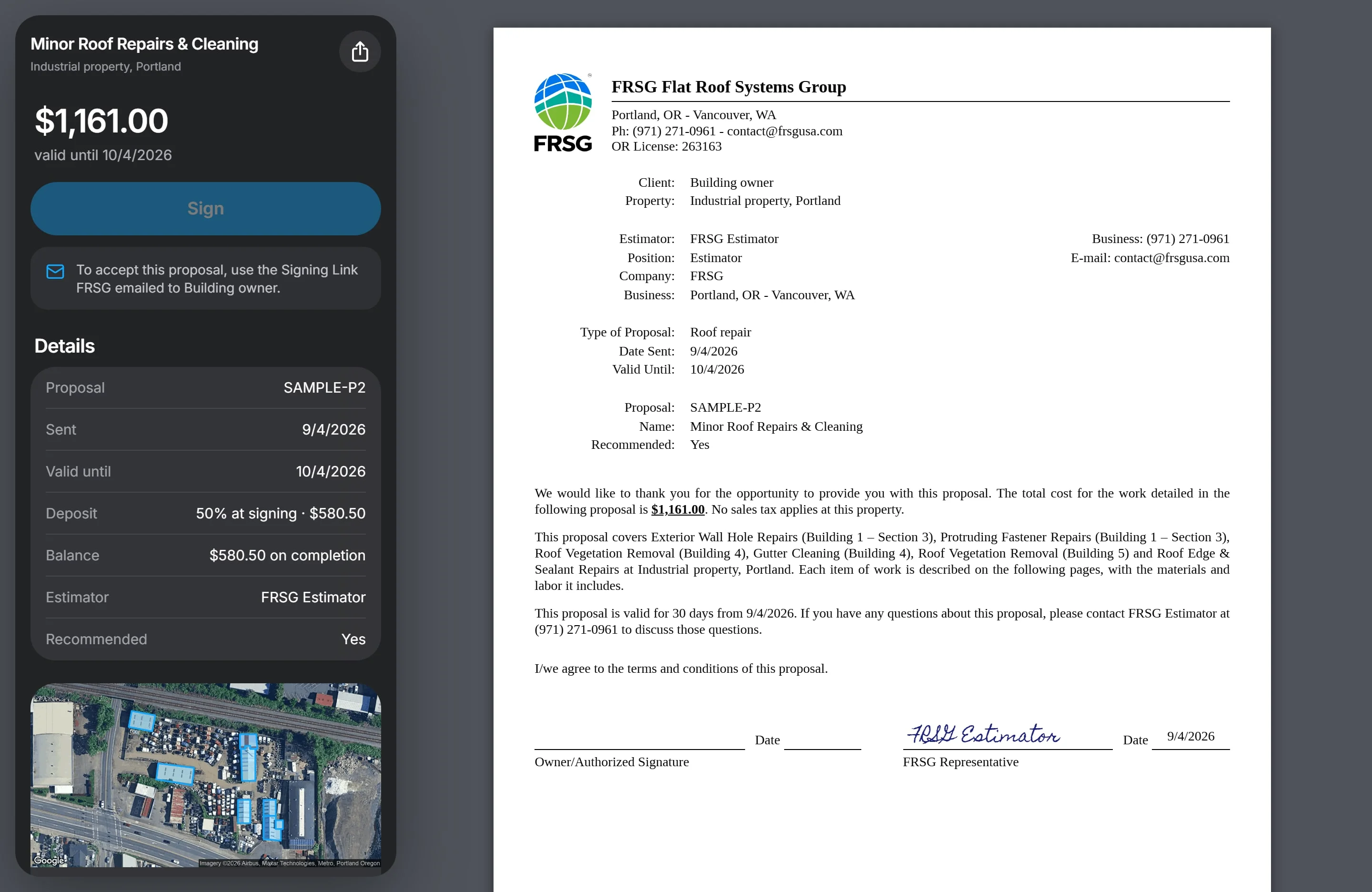
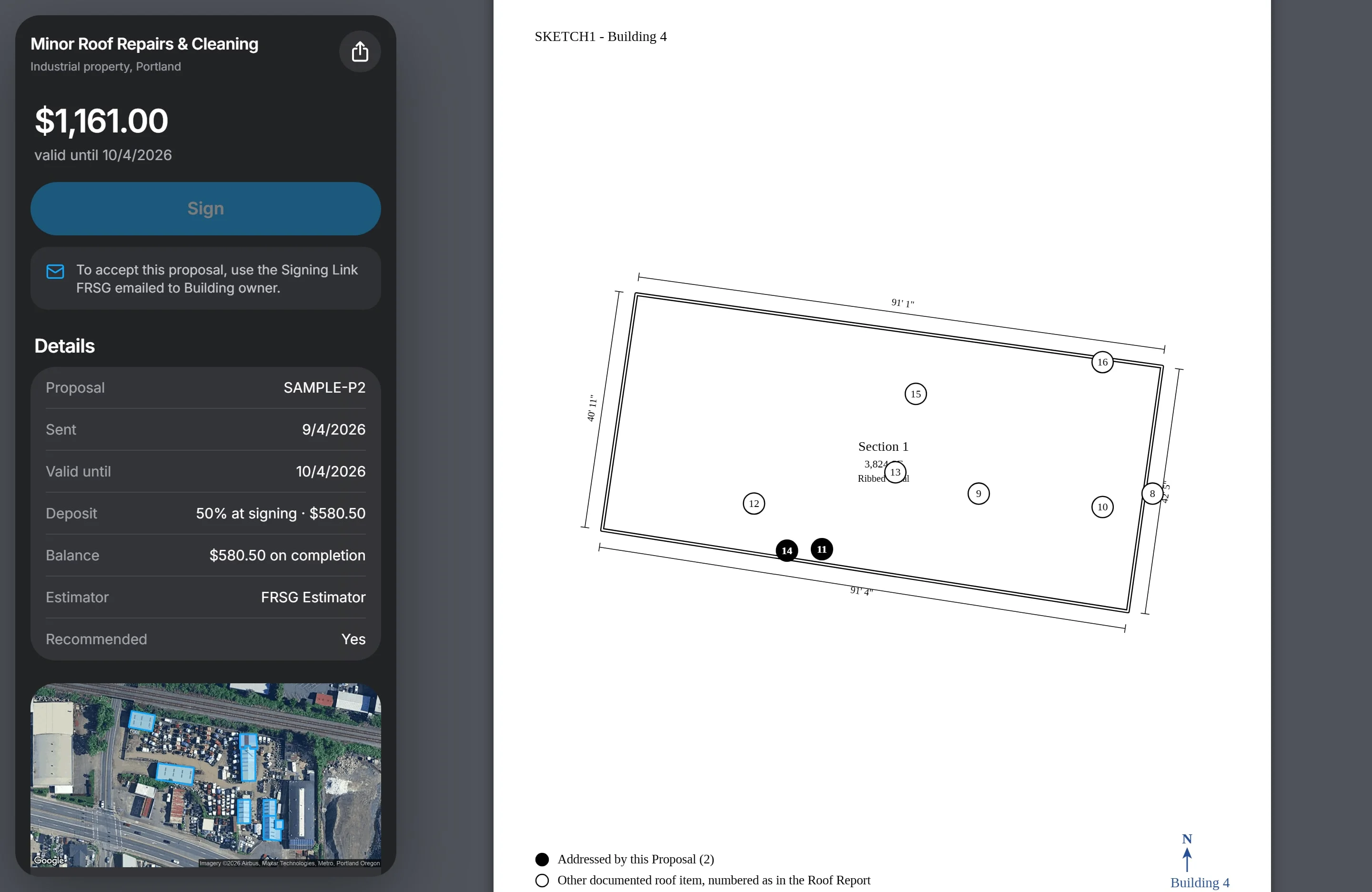
Each proposal includes a measured sketch of every building it touches. The markers on the sketch carry the same numbers as the markers on the map, so the work in the proposal can be found on the roof.
Each person who needs to approve a proposal gets their own signing link by email. They type their name, tick one box, and sign. The system records when the link was first opened, when it was signed, and the exact wording on the page at that moment, then emails a signed copy with a certificate page to the signer and to FRSG. A customer who would rather sign the printed page in ink can do that too, and the signed paper counts exactly the same.
A PDF when someone needs paper
Download PDF turns the Roof Report into a paged document, with the roof’s years left and its repair and replacement budgets on the cover. The reader chooses whether it covers only the items that need attention or everything. Proposals are not part of the report: they stay on the building’s link, beside it.
The PDF is laid out like an insurance estimate. It has a cover with the version number, a cover letter, a measured sketch of each building with numbered markers, and a table for each section with its area, roof system, and perimeter in linear feet. Then come the recommendation, the flagged items with their photos, and every other item.
How a Roof Service visit is documented
Roof Service is our flat-price visit for any flat roof job, from an active leak to a cleanup, booked online. Sealant and small patches are included. The same app runs the visit, step by step, with the documentation built into each step.
- Arrival. The technician photographs the front of the building, and the app checks the location and records the arrival time and the time they got inside.
- Inside. Each place water is showing gets at least two photos.
- On the roof. The technician pins each leak where they find it, writes what they found, and photographs it before they touch it.
- The result, leak by leak. Every leak ends one of three ways. It is stopped, which needs after photos. It is not coming from the roof, in which case the technician records the source, such as plumbing, HVAC, or a wall. Or it is still leaking.
The customer gets a Service Record on the building’s link, alongside any Roof Report or proposals. It shows when the technician arrived and who was there, then walks through each leak with the before and after photos side by side, what we found, and what we did, while the map moves to each leak on the roof. A Service Record covers the leaks the technician worked on. The condition of the whole roof is what a Roof Report is for.
Why the record matters later
A roof outlives the people who manage it. Property managers change, buildings sell, and insurers ask questions years after the work was done. With this record, the answers are on file: dated photos of the roof, measured outlines of each building, what was flagged and when, what was proposed, who signed it, and what each repair looked like before and after.
That is useful when a building is sold or refinanced, when an insurance or warranty claim needs proof of what was done and when, and when a new property manager inherits a portfolio. It also makes our own work better. Each visit starts from what the last one recorded, so a roof’s condition is tracked rather than rediscovered. If you are bringing records of your own to a first inspection, what roof records help before an inspection covers which ones are worth finding.
Thanks for your feedback.
About FRSG
Flat Roof Systems Group (FRSG) is a commercial flat-roof repair contractor serving Property Managers across Oregon and Washington. FRSG starts with a free Drone Check, fixes leaks and clears roofs with Roof Service, makes permanent Roof Repairs with clear documentation and predictable pricing, covers roofs all year with RoofCare, and proposes a Full Reroof only when repairing would cost more than it saves. Every repair ends with a Service Record: the problem reported, the work done, and photographs of the roof as FRSG left it.